Your mortgage lender needs three years of tax transcripts by Friday. Your financial aid office flagged a missing income verification. The IRS sent a notice referencing numbers you do not recognize on your own return. In every one of these situations, the answer is the same: request a tax transcript, and request the right one. The IRS makes this available for free, online, in minutes. Most people just do not know where to start or which document they actually need.
This guide covers every method, every transcript type, and what to do when something goes wrong.
If your situation involves multiple years, a business entity, or a deadline that does not leave room for errors, Simplicity Financial’s tax preparation services are available entirely online, supporting individuals and businesses across California and nationwide.
What to Gather Before You Submit Any Request

Having the following ready before you start prevents the most common rejection triggers.
- Your Social Security Number (SSN) or Individual Taxpayer Identification Number (ITIN)
- Your date of birth
- Your filing status (single, married filing jointly, etc.)
- The mailing address from your most recent tax return
- For online requests: an email address and access to a financial account number or mobile phone for identity verification
Five Types of Tax Transcripts and Which One You Actually Need
The IRS offers five distinct transcript types. Choosing the wrong one means starting over, and that is one of the most common reasons lenders and institutions reject submissions.
1. Tax Return Transcript
Shows most line items from your originally filed return. This is the most commonly requested transcript and is accepted by mortgage lenders and FAFSA processors.
2. Tax Account Transcript
Shows basic return data plus any changes made after the original filing, such as amended return adjustments or IRS corrections.
3. Record of Account Transcript
Combines the Tax Return Transcript and Tax Account Transcript into one document. Useful when you need both original data and post-filing changes.
4. Wage and Income Transcript
Shows data reported to the IRS by third parties, including W-2s, 1099s, and other income documents. This is the transcript to request if you are reconstructing income records or verifying what was reported on your behalf.
5. Verification of Non-Filing Letter
Confirms the IRS has no record of a filed return for a specific tax year. Often required for certain student aid or immigration applications.
A quick distinction worth understanding: a tax transcript is a summary of the data from your filed return. It is not the same as a full copy of your actual return with all its schedules and attachments. For most purposes, a transcript is exactly what you need.
Transcripts are completely free. A full copy of your actual filed return costs $43 per tax year and takes significantly longer to arrive.
| Your Situation | Transcript to Request |
| Mortgage or refinance application | Tax Return Transcript |
| FAFSA or student loan application | Tax Return Transcript |
| Immigration or visa application | Tax Return Transcript or Verification of Non-Filing Letter |
| Verifying income from W-2s or 1099s | Wage and Income Transcript |
| Checking if changes were made after filing | Tax Account Transcript |
| Need both original and updated data | Record of Account Transcript |
| Proving you did not file for a given year | Verification of Non-Filing Letter |
How to Request a Tax Transcript Online

Online access through the IRS Get Transcript tool delivers your transcript instantly, 24 hours a day, seven days a week.
1. Go to the IRS Get Transcript page
Navigate to IRS.gov and select Tools, then Get Your Tax Records. Click “Get Transcript Online.”
2. Create or log in to your IRS online account
First-time users will need to verify their identity through ID.me, a third-party identity verification service. This is a one-time setup. Once your account is created, future logins are much faster.
3. Complete ID.me verification
Before you begin, have these ready: a government-issued photo ID such as a driver’s license or passport, a device with a front-facing camera, and access to your email address.
- Create an ID.me account using your email address
- Upload or photograph your government-issued photo ID
- Complete a selfie or short video verification to confirm your identity matches the ID
- If facial recognition does not work, select the video call option to verify with a live ID.me agent instead
Once verified, you will not need to go through this process again.
4. Select your transcript type and tax year
Refer to the table above if you are unsure which type to request. Selecting an Account Transcript when your lender requires a Return Transcript is one of the most common errors at this stage. Double-check the tax year before confirming. Selecting the wrong year means starting the process over.
5. Download your transcript immediately
The document is available as a PDF you can save or send directly. You can access up to 10 prior tax years through the online portal, making this the most practical option when you need multiple years at once.
How to Get a Transcript Mailed to You
If you prefer not to create an online account or cannot complete identity verification, two mail-based options are available.
Option 1: IRS Get Transcript by Mail
Go to IRS.gov and select “Get Transcript by Mail.” Enter your SSN, date of birth, street address, and ZIP code exactly as they appear on your most recently filed return. Select the transcript type and tax year, then submit. Your transcript will arrive within 5 to 10 calendar days.
The address match is critical. If the address you enter does not exactly match what is on your IRS record, the request will be rejected. If you have moved recently, use your prior address if that is what appears on your last filed return, or update your address with the IRS first.
Option 2: IRS Form 4506-T
Download Form 4506-T from IRS.gov. Complete the form with your name, SSN, current address, the specific transcript type, and the tax years you need. If you want the transcript sent directly to a third party such as a mortgage lender, complete Line 5 with that party’s information. Mail the completed form to the appropriate IRS address and allow up to 10 business days for processing.
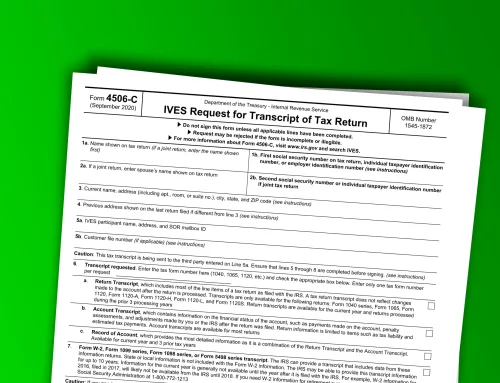
Note: many mortgage lenders now specifically require Form 4506-C rather than Form 4506-T. Your lender will typically clarify which form they need. For a full walkthrough of Form 4506-C, see our guide on how to complete Form 4506-C.
How to Request a Transcript by Phone or in Person

By phone: Call the IRS automated transcript line at 1-800-908-9946. Follow the prompts, enter your SSN and filing status, then select the transcript type and tax year. The transcript will be mailed to your address on file within 5 to 10 calendar days. Use this number specifically. The general IRS helpline is not designed for transcript requests and has significantly longer hold times.
In person: Visit a Taxpayer Assistance Center (TAC) with a valid government-issued photo ID and your SSN. TAC visits require a scheduled appointment, which you can make by calling 1-844-545-5640. This option is especially appropriate if you have had an identity theft issue and need to verify your identity directly with an IRS representative.
How to Get a Full Copy of Your Filed Tax Return
A transcript and an actual tax return copy are not the same document. If you need the original filed return with all attached schedules and supporting forms exactly as submitted, you need Form 4506, not Form 4506-T.
Download Form 4506 from IRS.gov, complete all fields, and mail it with a check or money order payable to “United States Treasury.” The fee is $43 per tax year. Allow up to 75 calendar days for processing. The IRS retains actual filed returns for only seven years, so requests for older returns cannot be fulfilled.
If you are planning to file an amended return, pulling your transcript first ensures you are working from the exact figures the IRS has on file. For more on what amended filings affect downstream, see our guide on amending tax returns.
How to Access State Tax Transcripts and Records
The IRS only provides federal tax transcripts. For state tax records, contact your state’s department of revenue directly. The IRS has no access to state-level tax data and its tools cannot fulfill state transcript requests.
The general process for most states works like this: go to your state’s department of revenue website and look for a section labeled “Transcript,” “Tax Records,” or “Copy of Return.” Most states now offer online portals, though features vary. If no online option exists, contact the state tax agency by phone or submit a written request.
Fees and timelines differ by state. Unlike the IRS, many states charge a copying fee even for transcript-style summaries. State rules also change regularly. Searching “state name department of revenue tax transcript” is the fastest way to find the correct portal or request process for your state.
What to Do When Your Transcript Request Fails or Shows Wrong Information
Most guides stop before explaining what happens when something goes wrong. Here is how to handle the most common failure scenarios.
Address mismatch rejection: Verify the exact address on your most recently filed return. If you have moved, either use your prior address if that is what the IRS has on file, or update your address by filing Form 8822 and waiting for the IRS to update its records before resubmitting.
No transcript available for that year: Your return may not have been filed or has not yet been processed. E-filed returns typically appear in IRS systems within three weeks. Paper returns can take up to eight weeks. Wait the appropriate time and try again.
Transcript shows income you do not recognize: This warrants immediate attention. It may indicate identity theft or a data entry error by an employer. File IRS Form 14039 immediately and contact the IRS directly to investigate. Do not ignore unrecognized income entries.
A tax year is missing entirely: Contact the IRS at 1-800-829-1040 to investigate. This could indicate a processing issue, a return that was never received, or a records retention matter.
Lender rejected your transcript: Confirm you provided a Tax Return Transcript rather than a Tax Account Transcript, as lenders typically require the former. Verify the transcript covers the exact tax years your lender requested.
If any of these situations become complicated, a tax professional can act as your authorized representative to access and request transcripts on your behalf through Form 2848 (Power of Attorney) or Form 8821 (Tax Information Authorization). Simplicity Financial’s tax preparation team handles exactly this kind of support, working entirely online with clients across California and nationwide.
Special Considerations for Business Owners Requesting Transcripts
Business transcripts require a separate request from your personal return. To request a transcript for a partnership, S corporation, or other business entity, complete Form 4506-T using the business EIN rather than your personal SSN. Business tax return transcripts and wage and income transcripts covering payroll data are both available through this process. Keep business and personal requests separate to avoid processing errors and delays.
If your business records need organizing before a transcript request makes sense, our bookkeeping and accounting services help clients get their financials into the shape needed to support accurate IRS filings and verifications.
Your Tax Records Are More Accessible Than Most People Realize
The IRS has made transcript requests genuinely straightforward, and most people can get exactly what they need in a matter of minutes. The gap between knowing the process exists and knowing how to use it correctly is usually all that stands between a smooth application and an unnecessary delay.
If your situation involves multiple years, a business entity, or a time-sensitive deadline, Simplicity Financial can request and review transcripts on your behalf, working entirely online with clients across California and beyond. Book a free financial consultation, and we will make sure the right records are in the right hands before your deadline hits.
Disclaimer: This article is for general informational purposes only and should not be taken as tax, accounting, legal, or financial advice. Rules can change, and the right approach depends on your specific situation. For guidance related to your personal, business, nonprofit, or ministry finances, speak with a qualified CPA or tax professional.